Commend worldwide

Change your location

  • Commend Benelux荷兰、比利时
  • English
  • Commend Austria & CEE奥地利和中东欧 (CEE)
  • English
  • Commend Adria克罗地亚、波斯尼亚和黑塞哥维那、塞尔维亚
  • English
  • Commend Slovakia斯洛伐克、捷克
  • English
  • Commend Nordic丹麦、芬兰、冰岛、挪威、瑞典
  • English
  • Commend Nordic丹麦、芬兰、冰岛、挪威、瑞典
  • English
  • Commend Hungary匈牙利当地合作伙伴
  • Hungarian
  • Commend Nordics丹麦、芬兰、冰岛、挪威、瑞典
  • English
  • Commend Benelux荷兰、比利时
  • English
  • Commend Nordic丹麦、芬兰、冰岛、挪威、瑞典
  • English
  • C&C Partners波兰、爱沙尼亚、拉脱维亚、立陶宛
  • English
  • Commend Ibèrica西班牙、葡萄牙
  • Spanish
  • Commend Austria & CEE奥地利和中东欧 (CEE)
  • English
  • Commend Slovakia斯洛伐克、捷克
  • English
  • Commend Austria & CEE奥地利和中东欧 (CEE)
  • English
  • Commend Ibèrica西班牙、葡萄牙
  • Spanish
  • Commend Nordic丹麦、芬兰、冰岛、挪威、瑞典
  • English
  • EFB Elektronik Türkiye土耳其
  • English
  • Commend Austria & CEE奥地利和中东欧 (CEE)
  • English
  • Commend Middle East阿联酋、黎凡特、海湾合作委员会
  • English
  • Commend Middle East沙特阿拉伯、黎凡特、阿联酋
  • English
  • Commend Middle East阿联酋、黎凡特、海湾合作委员会
  • English
  • Commend InternationalGlobal Website
  • English
  • Evolving Management Solutions (PTY)South Africa
  • English
  • TKHSAA印度尼西亚、马来西亚、菲律宾、新加坡、韩国、台湾、泰国
  • English
  • Commend Australia澳大利亚、新西兰
  • English
  • Commend Middle Asia哈萨克斯坦、吉尔吉斯斯坦、塔吉克斯坦、土库曼斯坦和乌兹别克斯坦
  • Russian
  • Commend Australia澳大利亚、新西兰
  • English
  • TKHSAA印度尼西亚、马来西亚、菲律宾、新加坡、韩国、台湾、泰国
  • English
  • TKHSAA印度尼西亚、马来西亚、菲律宾、新加坡、韩国、台湾、泰国
  • English
  • TKHSAA印度尼西亚、马来西亚、菲律宾、新加坡、韩国、台湾、泰国
  • English
  • Commend Middle Asia哈萨克斯坦、吉尔吉斯斯坦、塔吉克斯坦、土库曼斯坦和乌兹别克斯坦
  • English
  • Commend Middle Asia哈萨克斯坦、吉尔吉斯斯坦、塔吉克斯坦、土库曼斯坦和乌兹别克斯坦
  • English
Plain light blue background.

Mobile Client

Call Management
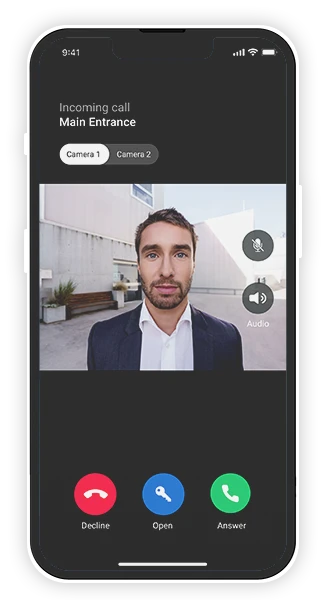
The Symphony Mobile Client is the Symphony Cloud service for making and answering calls, unlocking doors and barriers conveniently via smartphone or tablet.
Smartphone showing a video call from an intercom at the main entrance, with a man on screen and call options.
Plain light blue background.

Push Notifications

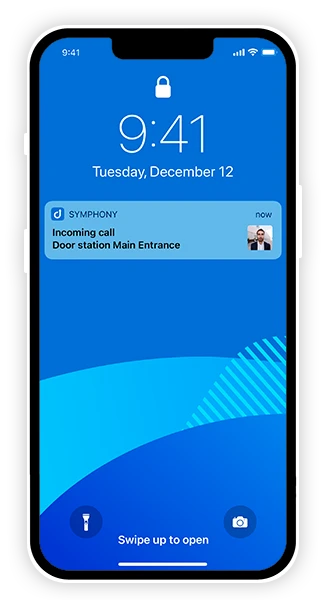
Never miss a call again
iPhone lock screen with a SYMPHONY app notification for an incoming intercom call from a door station.
Plain light blue background.

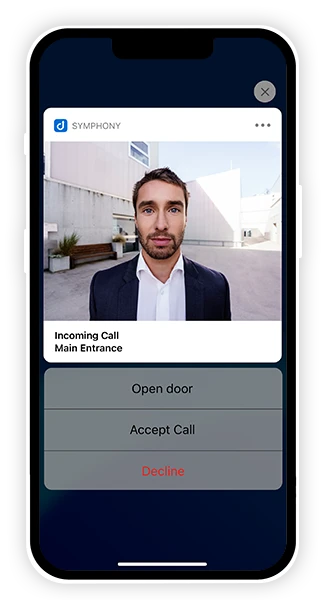
Quick Actions

Press and hold the push message to open a door, accept or decline a call
Plain light blue background.

Unlock Doors,
Barriers and Gates

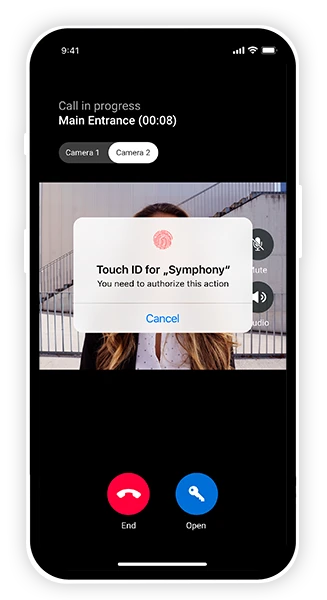
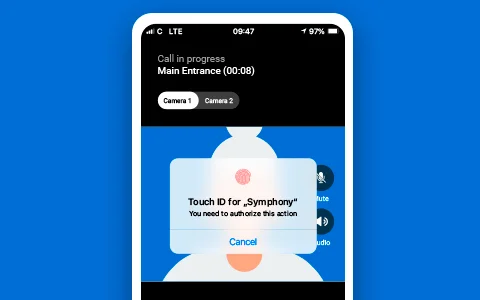
using PIN code, TouchID or FaceID as a protective measure
Smartphone displaying intercom call, a person on screen, and a Touch ID prompt for secure door access.

Mobile Client

A Symphony Cloud Service

Never miss a call again. You can conveniently answer calls on your smartphone and open doors, barriers and gates no matter where you are.


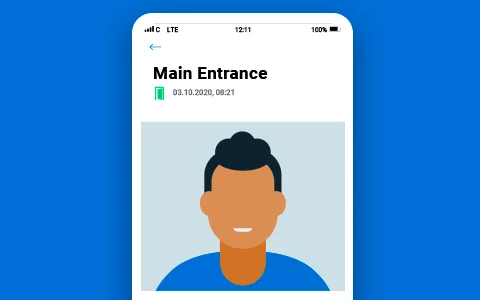
Activity List

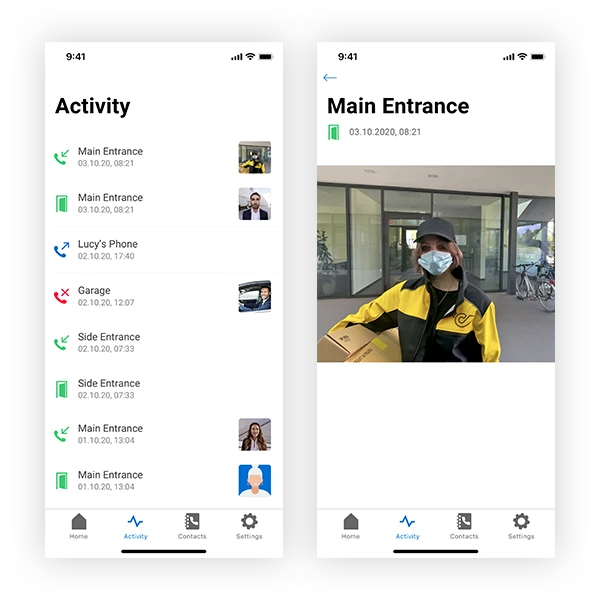
Here you can see all calls in your group – whether missed, outgoing, accepted and also when a door, barrier or gate was opened. An image of the caller at the Intercom station at the moment the call is set up can also be seen. If you tap on the picture, an enlarged version is displayed on the next screen.
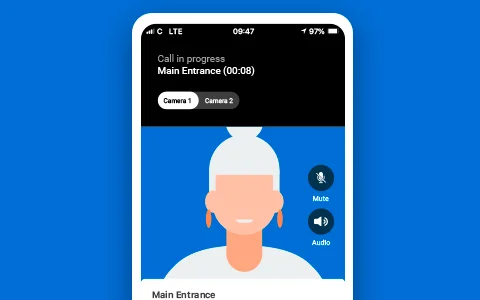
Second Camera

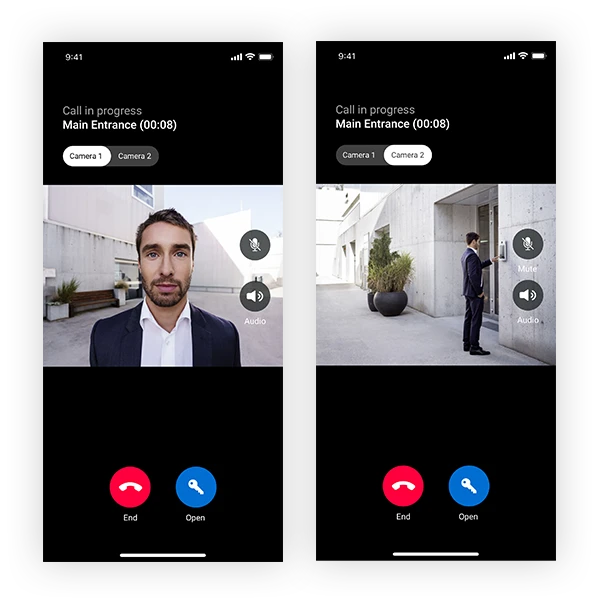
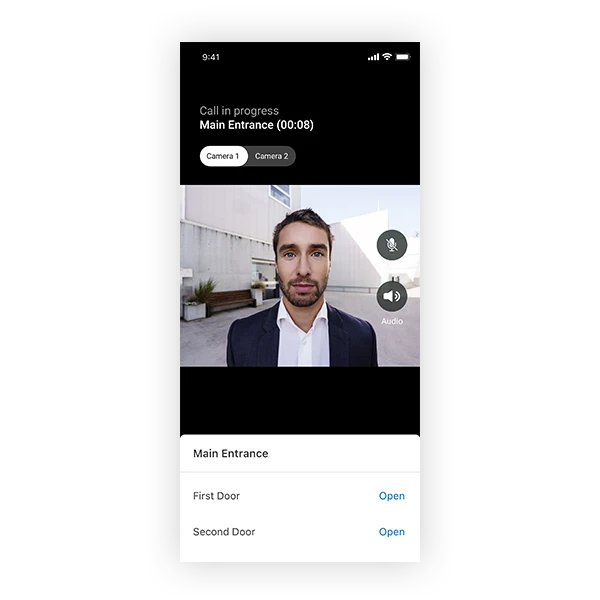
During a conversation, one can switch between two cameras and a new angle of view ensures better perception and security.

Second Door,
Barrier, Gate or Lift

This allows doors, barriers, gates, lift doors to be opened one after the other, which is particularly important for multi-level security applications.
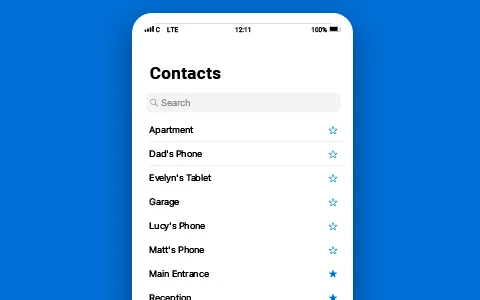
Contacts & Favourites

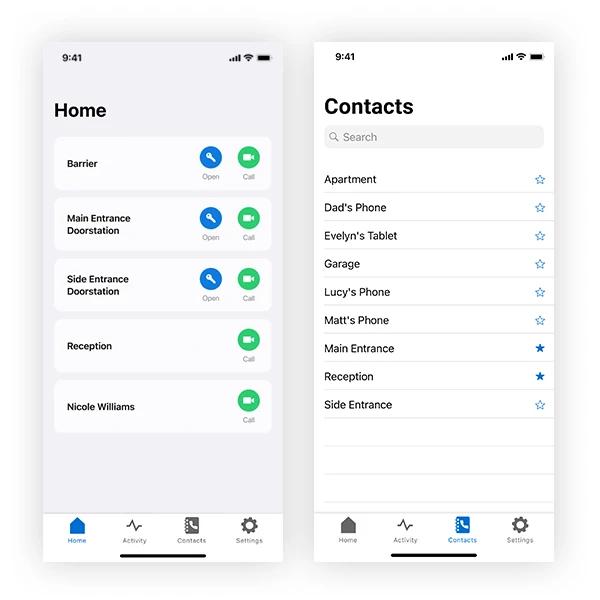
Access to all contacts and add favourite contacts to the homescreen

Videos
Thumbnail for a video about the Symphony App, featuring a dome security camera and Commend logo.

Second Camera

Woman opening glass door, "Symphony App Second Door" and "Commend Vlog" text.

Second Door

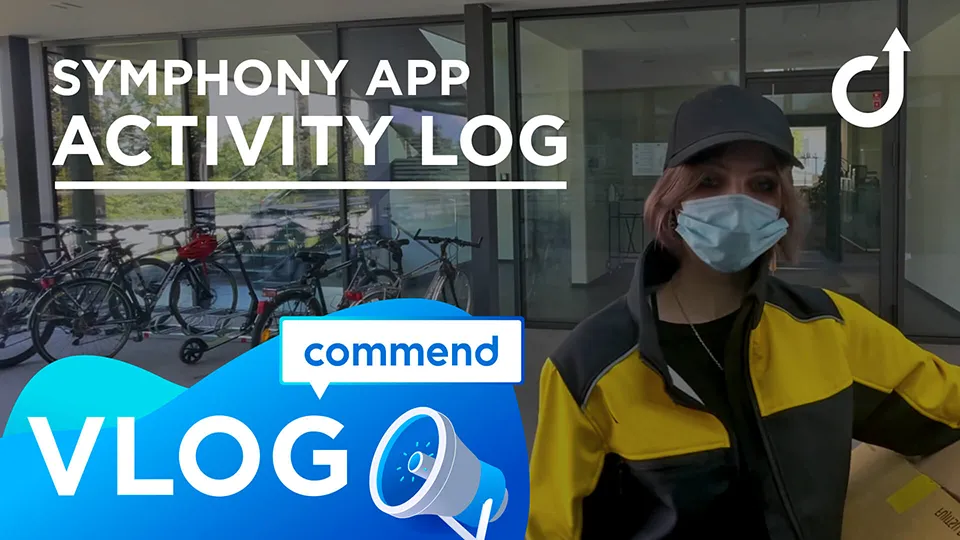
Person in mask with package, 'Symphony App Activity Log Vlog', Commend logo.

Activity Log

Person doing yoga by the sea at sunset, with 'Symphony App Do Not Disturb' text, 'VLOG', and 'commend' logo.

Do-not-Disturb

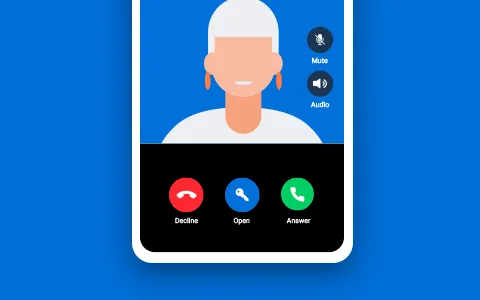
Mobile phone screen with an intercom call, showing avatar, call and audio controls.

Answering a Call

Smartphone app displaying a main entrance event with avatar, date, and time.

Registering from a Mobile Device

Registering Mobile App by Scanning QR code
Do Not Disturb
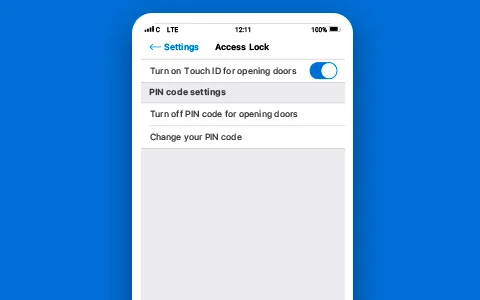
Smartphone app screen with access lock settings, Touch ID toggle, and PIN code management options.

Access Lock PIN Code

Smartphone displaying an intercom contacts list for quick communication to various locations.

Adding Favorites to Home Screen

Smartphone showing intercom call and Touch ID prompt for "Symphony" authorization.

Touch ID Activation

Apple, the Apple logo, iPhone, and iPad are trademarks of Apple Inc., registered in the U.S. and other countries and regions. App Store is a service mark of Apple Inc.

Google Play and the Google Play logo are trademarks of Google LLC.